Attending the AI for Good Global Summit in Geneva means immersing yourself in a city at the heart of international cooperation. The iconic Palexpo International Exhibition and Convention Center provides an inspiring setting for dialogue and action. Discover how AI can be a force for good in a city dedicated to global progress.

Search
Search
Type below to search:
Practical information
Your guide to arriving in Geneva and navigating the AI for Good Global Summit 2026

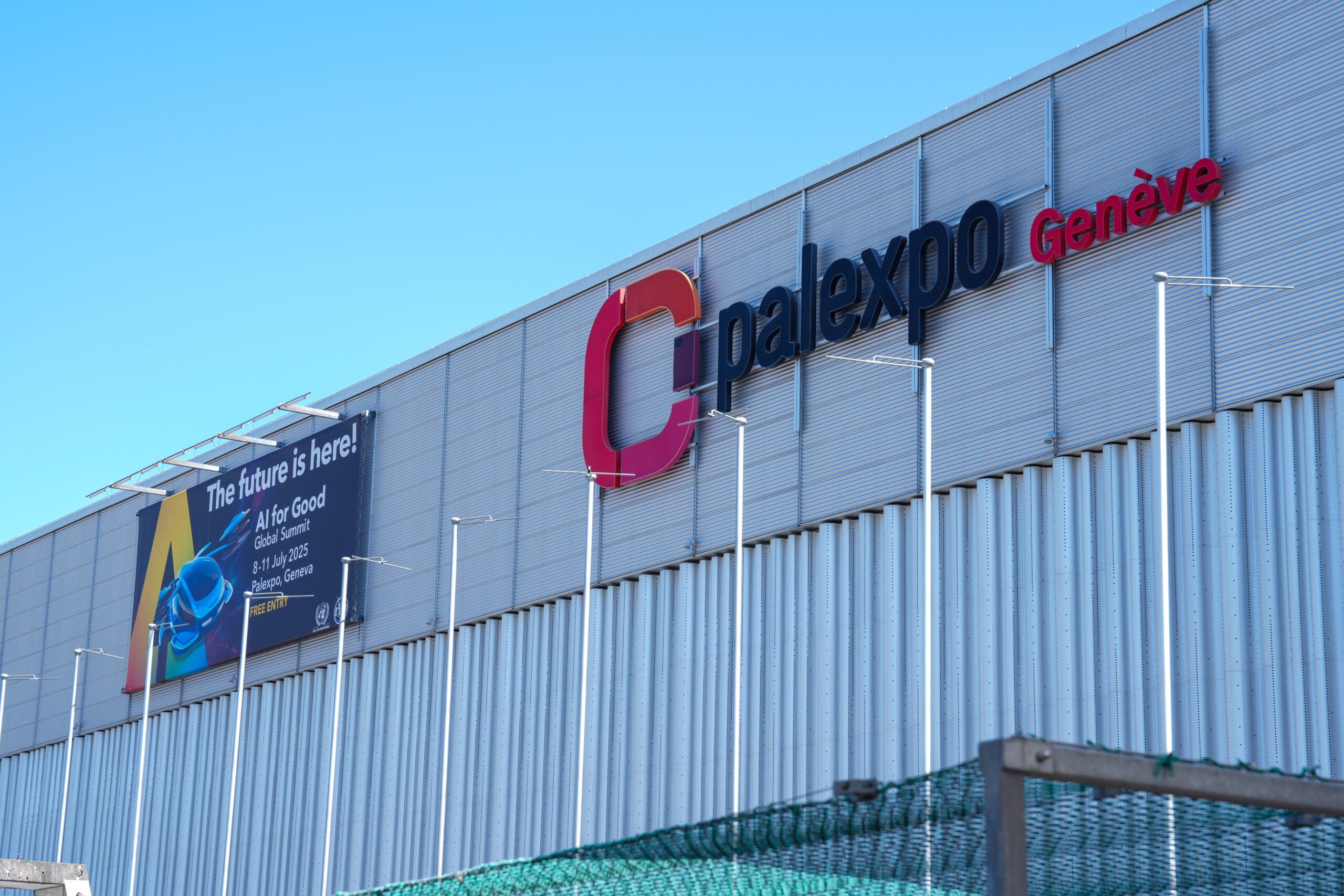
Event VenuePalexpo International Exhibition and Convention Center
Geneva, Switzerland
Attending the AI for Good Global Summit in Geneva means immersing yourself in a city at the heart of international cooperation. The iconic Palexpo International Exhibition and Convention Center provides an inspiring setting for dialogue and action. Discover how AI can be a force for good in a city dedicated to global progress.
Badge Collection
You can collect your AI for Good event badge at the following locations and times:
| Date | Location | Hours |
|---|---|---|
| Friday 3 July | ITU Montbrillant Rue de Varembé 2, 1202 Genève | 09:00 – 17:30 |
| Monday 6 July | ITU Montbrillant Rue de Varembé 2, 1202 Genève | 08:30 – 17:00 |
| Monday 6 July – Thursday 9 July | Palexpo | 07:30 – 18:00 |
| Friday 10 July | Palexpo | 07:30 – 15:30 |
Please present your registration confirmation email with the QR code together with a valid government-issued photo ID at the badging desks.
Upon badge collection, a photograph will be taken and printed on the badge for access control security. Badges are strictly non-transferable and may not be picked up on someone else’s behalf.
The Expo in Hall 1 & 2 closes on Friday, 10 July at 15:00.
Practical information
Getting to Geneva: Your Journey to the Summit
 Arrival in GenevaWhen passing the immigration control to enter Switzerland, the authorities may ask you for certain documents: visa, invitation letter, hotel reservation, etc.
- Hotel Booking link
Through our official accommodation partners, attendees can benefit from specially negotiated prices at selected hotels
- Budget preparationFind information on budget preparation from CAGI, the International Geneva Welcome Centre.
- Useful informationHere are some practical tips to make your stay easier during your conference in Geneva: whether you are shopping, exploring the city, getting around the international organizations, or doing any leisurely activities during your stay.




FAQsFrequently asked questions
The AI for Good Global Summit will take place from 7 to 10 July 2026 at Palexpo, Route François-Peyrot 30, CH-1218 Le Grand-Saconnex.
As the United Nations’ leading event on AI, the Summit is evolving to offer a more immersive, in-person experience, reflecting its growing scale and global impact. The 2026 Summit introduces a paid registration model to enhance the overall attendee experience. We invite you to review the different pass types and register for the event here. You can choose to attend either physically in Geneva or watch sessions on the Centre Stage remotely.
Please note that the deadline of 9 June 2026 to request visa invitation letters has passed, and we are no longer accepting requests. Speakers, demo, or those actively involved in the programme are kindly requested to contact their AI for Good focal point for further assistance. Visa support letters were available only to employees of ITU members. If you are seeking information regarding visas for Switzerland, please contact your nearest Swiss consulate.
| DATE | LOCATION | HOURS |
|---|---|---|
| Friday 3 July | ITU Montbrillant (Rue de Varembé 2, 1202 Genève) | 09:00-17:30 |
| Monday 6 July | 08:30-17:00 | |
| Monday 6 July – Thursday 9 July | Palexpo | 07:30-18:00 |
| Friday 10 July | Palexpo | 07:30 – 15:30 |
Please present your registration confirmation email (with the QR code) along with a valid government-issued photo ID at the badging desks. Please note that upon badge collection, a photograph will be taken and printed on the badge for access control security. As such, badges are strictly non-transferable and may not be picked up on someone else’s behalf.
After you pick up your badge, please use the username and password listed on the badge to access the event Wi-Fi.
More information coming soon.
Sessions in the Centre Stage are open to Leaders, Gold, and Speakers Pass holders. If you have purchased a Discovery Pass and wish to access the Centre Stage, you may purchase a Gold/Leaders Pass here instead. Please be advised that all passes are non-refundable; however, Gold and Leaders may be transferred to another individual.
If the Centre Stage is full, you can watch a livestream of the Centre Stage programming in the Hall 2 catering space or online on the AI for Good Neural Network and the AI for Good YouTube channel.
All Passes sales are final. If you purchased a Gold or Leaders Pass and are no longer able or willing to attend the Event, you must inform ITU as soon as possible. You may, however, transfer the Gold or Leaders Pass to a colleague by requesting a name change on your Pass, no later than 7 days before the beginning of the Event, by emailing aiforgoodpasses@itu.int. ITU is at its sole discretion to permit the name change and is under no obligation to do so. Please see more information in the Terms & Conditions.
Media accreditation will be available soon for working members of the media with reporting responsibilities. Please send any media accreditation questions to pressreg@itu.int.
Yes. Youth under 18 benefit from a complimentary Discovery Pass, and students in active study, and with a valid student ID, benefit from a 50% discount on all passes. Please note that all complimentary and discounted passes for youth under 18 and students are subject to approval, and that discounts are not cumulative and cannot be applied simultaneously to a Pass.
More information coming soon.
Thank you for your interest! Please visit https://aiforgood.itu.int/engage/ to learn more about how to engage at the Summit, including applying to speak, competing in the Innovation Factory, becoming a sponsor, or joining our Impact Initiative.
More information coming soon.
Palexpo is accessible by car, train and public transport. Located a few minutes walk from Genève Aéroport and its train station, and 15 minutes by bus from downtown Geneva. For more information, click here.
1,500 spaces are available to visitors and exhibitors in the P12 car park, including spaces reserved for people with reduced mobility. If you come by electric car, four fast charging stations (20kW) are installed on level -1 of P12. See more information here.
Yes, the infirmary is situated in Secretariat 3, behind Hall 3 (access through the connection between Hall 2 and 3), see our floorplan for further information.
During the event there will be many paid catering options available to visitors, including the official Palexpo restaurant (Le Central), an adjacent bar, food trucks, coffee trucks and water fountains.
Information coming soon.
The venue is accessible to people with reduced mobility thanks to the presence of ramps and elevators. For more information, you can consult the plan here.
The AI for Good Global Summit is committed to making the event accessible and welcoming for everyone. If you have any accessibility requirements and would like to request adjustments or support, please contact ai@itu.int
Please visit the TPG site directly here
We have secured exclusive preferential rates at selected hotels for AI for Good Global Summit attendees through our official accommodation partner. Participants can benefit from specially negotiated prices and flexible booking conditions. Book your accommodation here.
We recommend booking early to ensure availability and the most favourable rates.
You may find more information on potential accommodation support and eligibility here. Hotels will provide their guests with a public transport card for the duration of your stay. Additionally, the city of Geneva can provide you with discounts on various offers on a Geneva City pass. For more information: https://www.geneve.com/en/see-do/city-tours-day-trips/geneva-city-pass#/.
Livestreaming will not be available for those not in-person at the Summit, however sessions on the Centre Stage will be recorded and published on YouTube at a later time.
Yes, sessions on the Centre, Frontier, and Solutions Stages will be recorded and published at a later time on the AI for Good Neural Network and AI for Good YouTube channel.
You may watch a recording by visiting the session’s webpage on https://aiforgood.itu.int/ai-events-calendar/ and clicking “watch” to view the session on the AI for Good Neural Network, the AI-powered match-making community platform. You can also head directly to the AI for Good YouTube channel https://www.youtube.com/aiforgood.
If you’re having trouble accessing the event:
- Ensure you are using the correct login credentials.
- Check your internet connection.
- Clear your browser’s cache and cookies.
- Try using a different supported browser.
If your audio isn’t working:
- Ensure your device’s volume is turned up and not muted.
- Check that your speakers or headphones are properly connected.
- Verify that the correct audio output device is selected in your system settings.
- Refresh the browser page.
- If using a headset, try unplugging and re-plugging it in.
To report an issue:
- Click on the “Help” button located on the left side of the event page.
- Describe the issue you are experiencing.
- Submit your message to AI for Good Support.
The supported browsers are the latest versions of:
- Google Chrome
- Mozilla Firefox
- Microsoft Edge
- Safari
The system requirements are:
- A stable internet connection.
- A computer or mobile device with at least 4GB of RAM.
- An updated web browser.
Yes, the event platform is optimized for both desktop and mobile devices. Ensure your mobile browser is up-to-date.
No installation is required to join via desktop. Everything runs directly in your updated and compatible web browser. However, you can also download the AI for Good Neural Network app:
Be sure to update the app to the latest version to unlock all the newest features.
If you cannot see the presentation slides:
- Refresh your browser or rejoin the session.
- Ensure your internet connection is stable.
If the problem persists, contact technical support via chat or email at support@aiforgood.itu.int.
If you experience a time zone discrepancy:
- Verify the event timings in your local time zone.
- The event platform provides an option to view sessions in your local time. Use online time zone converters if needed.
- Visit AI for Good Neural Network: https://neuralnetwork.aiforgood.itu.int/event/ai-for-good/
- Click “Login,” and enter your registered email and password. If you used a social login (e.g., LinkedIn, Google), click the corresponding button.
Click “Forgot password?” on the AI for Good Neural Network login page. Enter your email address, and you’ll receive a link to reset your password.
On the Neural Network, log in and click the Account button. Then select Edit Profile to update your account details and information.
If the video is lagging:
- Check your internet connection.
- Close unused apps or tabs.
- Try refreshing the page or switching browsers.
- On the Neural Network, log in and click the Account button.
- Select Edit Profile and navigate to the Manage Notifications tab. From there, you can customize your email and platform notification preferences according to your needs.
Latest from blog


12 October 2026